Project - AI Metadata Remover — Clean AI Signatures from Files and Content
Free AI Wiper is an Empinet product for inspecting and removing supported AI metadata, C2PA Content Credentials, and hidden text characters directly in your browser. Your files stay on your device.
- Product
- Free AI Wiper
- Year
- Service
- Privacy & AI Metadata Cleaning
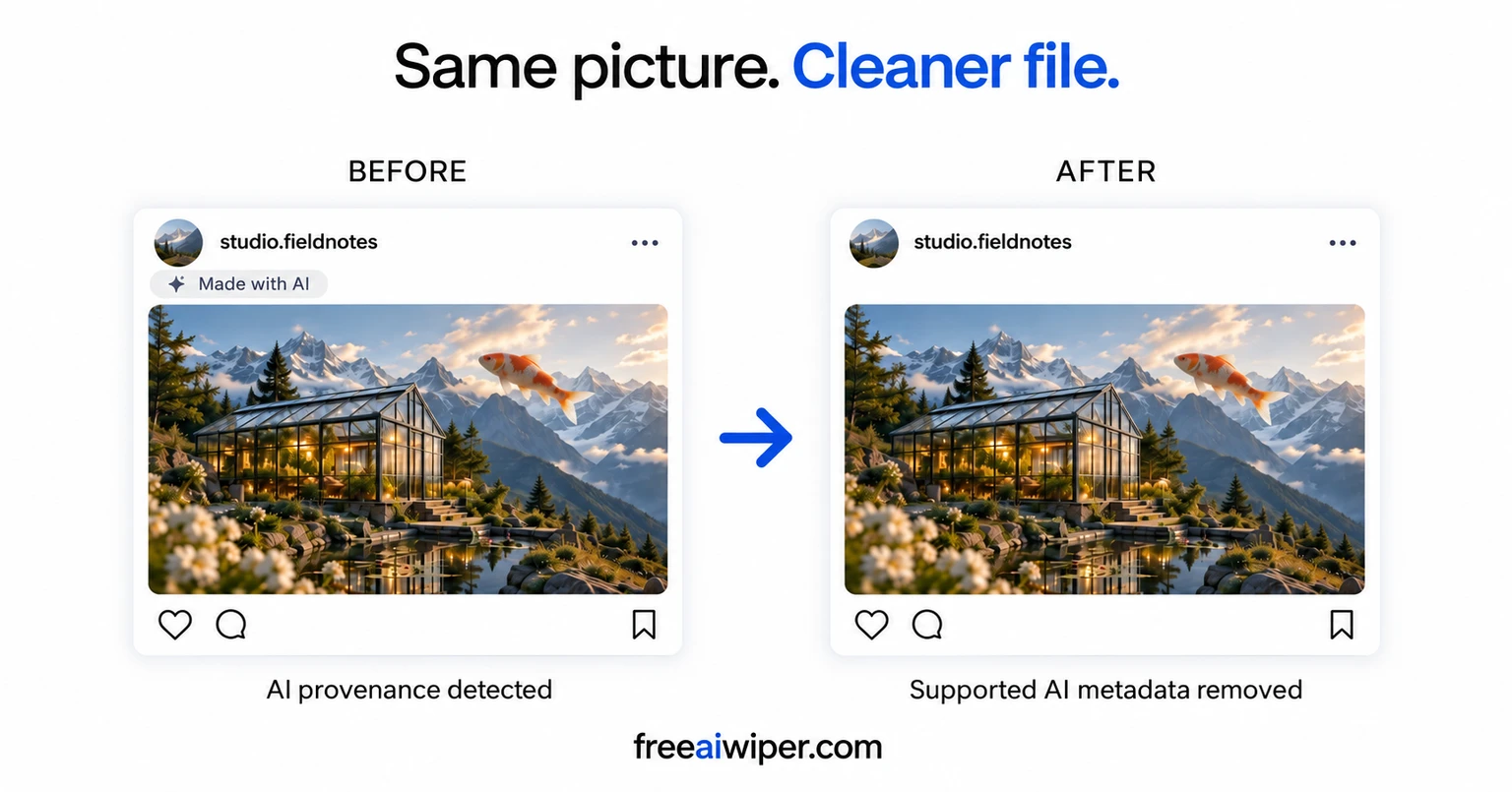
Remove AI metadata without uploading your files
AI-generated and AI-edited files can carry more than the content you see. Content Credentials, generator records, and other provenance fields may describe how a file was created. Documents can also contain author information and custom properties, while text can contain invisible Unicode characters.
Empinet built Free AI Wiper to make that hidden information easier to inspect and control. The cleaner identifies supported traces, lets you choose what to remove, and checks the resulting file before making it available to download. Processing happens in your browser: the cleaner does not receive your file, filename, extracted metadata, or cleaned output.
For creators preparing assets to share, teams reviewing exported documents, and anyone checking hidden file information, it provides a practical way to understand what travels with their content.
What are AI signatures and C2PA Content Credentials?
“AI signatures” is a broad term. In file cleaning, it can refer to embedded generator information or AI provenance metadata. C2PA Content Credentials are one form of provenance that can describe an asset's origin and editing history. XMP fields and other format-specific records may also contain creation details.
Free AI Wiper removes supported portable information embedded in the file. This is different from removing a visible watermark, changing image pixels, or rewriting AI-generated prose. A metadata cleaner addresses the file information it can inspect; it does not establish who authored the underlying content.
AI signature cleaning for images, documents, video, and text
Remove AI metadata from JPEG, PNG, and WebP images
Inspect supported images for Content Credentials, generator records, and optional private metadata. Remove selected supported information while preserving the encoded image data. Images are not recompressed, so cleaning does not introduce another lossy compression step.
This is useful when you want to review the provenance attached to an exported image before sharing it. The cleaner changes supported file metadata rather than giving the picture a visual makeover.
Clean metadata from PDF, Word, PowerPoint, and Excel files
PDF, DOCX, PPTX, and XLSX files can include generator fields, document properties, XMP, and custom metadata. Free AI Wiper inspects supported fields and lets you remove selected information from a cleaned copy.
Use it to check hidden document information before distributing a report, presentation, or spreadsheet. Removing document metadata does not rewrite the visible text or change its authorship.
Remove supported AI provenance from MP4, MOV, and M4V video
Video files can contain portable provenance and generator information inside their file containers. Free AI Wiper supports cleaning selected information from MP4, MOV, and M4V files without re-encoding the video.
Keeping the encoded media intact avoids the quality loss and processing overhead of exporting the video again just to clean supported metadata.
Inspect and clean hidden characters from text
Paste content or open a UTF-8 .txt file to inspect supported hidden Unicode characters and selectively remove them. This gives you control over invisible characters that may accompany copied text.
Hidden characters are not proof that text was generated by AI. Text cleaning does not paraphrase your writing, humanize AI content, or guarantee a different result from an AI text detector.
See supported formats and cleaning details on Free AI Wiper.
How to clean AI signatures from a file
- Inspect: Open the cleaner and select a supported file or paste text. Review the information it detects locally.
- Choose and remove: Select the supported AI provenance or optional private information you want to clean.
- Verify and download: The cleaner inspects the rebuilt file again before offering a download. Keep your untouched original alongside the cleaned copy.
The verification step checks the supported information in the output. It makes the cleaning result inspectable rather than asking you to assume that every trace has disappeared.
Frequently asked questions about AI metadata removal
Can Free AI Wiper remove all AI signatures?
It removes supported embedded AI provenance and selected metadata. It does not claim to remove every possible signal of AI generation. Pixel-based watermarks, external provenance records, and content-based detection are different from the portable file information the cleaner supports.
Does removing C2PA metadata stop AI labels on social platforms?
There is no guarantee. A platform may use embedded metadata, its own records, or other signals to label content. Cleaning supported Content Credentials removes that information from the file; it does not control how another service classifies it.
Does AI metadata removal reduce image or video quality?
Supported images are cleaned without recompression, and supported videos without re-encoding. The original file is never modified. The tool removes selected supported information and verifies the cleaned copy before download.
Are my files uploaded to a server?
No. The current cleaner processes files in your browser. Your file, filename, extracted metadata, and cleaned output stay on your device during inspection and cleaning.
Can I remove AI signatures from written content?
For text, Free AI Wiper inspects and selectively removes supported hidden Unicode characters. For documents, it cleans supported metadata fields. Neither operation proves human authorship or makes AI-generated writing universally undetectable.
A privacy-focused product built by Empinet
Free AI Wiper reflects our approach to software development: clear controls, useful verification, and privacy built into the workflow. Local processing lets users inspect their files without handing the content to a cleaning service.
Open Free AI Wiper to inspect your files, explore its file-cleaning guides, or browse more Empinet projects.